
Radaris Caller Id Phone Lookup
Virtura Corp.Communication
3.571.00 Reviews
- Version
- 1.2.4
- Installs
- 10.00K
- Age Rating
- Everyone
Screenshots
Our Review of Radaris Caller Id Phone Lookup
 Analysis by Appyee
When an unfamiliar number appears on my phone, I usually want an answer before deciding whether to call back, ignore it, or block it. Radaris Caller Id Phone Lookup is built around that small but important decision. Developed by Virtura Corp., this free communication app combines people search, phone-number lookup, and call-related control in one place. I found it most useful when I treated it as a research tool rather than as a complete replacement for my phone’s built-in caller screen.
The central question is not simply whether the app can identify a number. It is whether the information it presents is useful enough to change what I do next. That makes the app a better fit for people who regularly receive calls from unknown numbers, need to reconnect a name with a contact detail, or want a separate place to investigate a caller before responding. It is less compelling for someone who rarely answers unfamiliar calls or already has a trusted caller-identification service that fits neatly into the phone dialer.
How I Decide Whether a Caller Lookup App Is Worth Using
I judge an app like this on four practical points: how quickly I can start a search, how easy the result is to understand, whether it helps me make a sensible call decision, and whether its payment model feels reasonable for the way I use it. A lookup tool can sound impressive but still be frustrating if the search process is unclear or if the result gives me a name without enough context to judge whether that name is relevant.
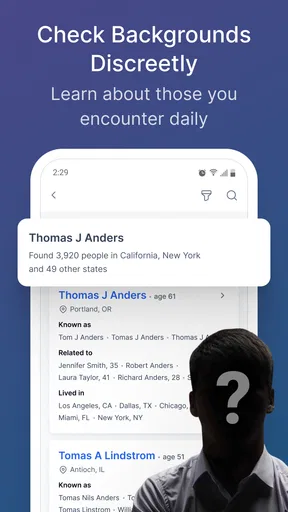
Radaris presents itself as more than a basic reverse-number search. Its store summary focuses on finding people, looking up numbers, and taking control of calls, while the short store description identifies it simply as Radaris. In everyday use, that combination suggests a workflow: search first, assess what comes back, then decide how to handle the call. I appreciate that approach because it keeps the decision in my hands rather than encouraging an automatic response to every unknown caller.
The app is available at no upfront cost, which makes trying it relatively easy. It is rated for Everyone, so its presentation is aimed at a broad audience rather than a specialist group. The current version is 1.2.4, and it runs on Android 7.1 or later. That older minimum requirement is helpful for people using an older Android phone, although compatibility alone does not tell me whether the experience will feel equally smooth on every device.
Its public reception is mixed rather than overwhelming: Radaris holds a 3.5 average from around 140 ratings, with roughly 70 written reviews, and has passed 10,000 installs. I read that as a reason to approach it with realistic expectations. The app has enough traction to be worth testing, but the rating does not support treating every lookup as guaranteed or every feature as equally polished.
The first useful scenario: deciding whether to call back
Imagine I am waiting for a delivery, a repair appointment, or a return call from a business, and an unfamiliar number appears while I am busy. Calling back immediately may waste time, but ignoring it could mean missing something important. I can use Radaris to investigate the number before choosing. If the result gives me a useful lead, I can return the call with more confidence. If it does not clarify the caller, I have still avoided treating an unknown number as automatically trustworthy.
That distinction matters. A lookup result should be a clue, not proof of identity. A shared, recycled, mistyped, or recently reassigned number can make any reverse-search service less decisive. I would never use a name shown by the app as the sole basis for sharing sensitive information, sending money, or confirming account details. The strongest workflow is to use the result alongside the context of the call and, when appropriate, an official contact channel.
Where the people-search angle is genuinely useful
The people-search side gives Radaris a different role from a simple spam filter. I can imagine using it when I have a name but need to reconnect it with a phone number, or when an old contact detail appears without a clear label. This is particularly practical for sorting through personal records, checking whether an unfamiliar contact might be someone I know, or preparing before returning a call.
There is a trade-off here. A broader search can be more useful than a narrow caller label, but it can also require more judgment. Names are not unique, and a result that looks familiar may still belong to another person. I would compare several details rather than accepting the first match. The app is most helpful when it shortens the path to a sensible conclusion, not when I expect it to make that conclusion for me.
Using the app as a separate decision layer
One of the less obvious strengths of this kind of tool is that it can create a pause between seeing a number and reacting to it. Instead of relying only on a phone’s incoming-call label, I can deliberately open the lookup app and investigate. That extra step may sound minor, but it is useful for people who receive enough uncertain calls to develop rushed habits.
I also see value in using it after a missed call rather than during a stressful conversation. A missed call gives me time to search, compare the result with any voicemail or message, and decide whether a return call is appropriate. This is a better use of the app than trying to conduct a detailed investigation while someone is already waiting on the line.
When Radaris Is a Better Fit Than the Usual Alternatives
Radaris stands out most when I want people lookup and number lookup in the same communication-focused app. A phone’s built-in caller tools are convenient for immediate screening, but they may not offer the same deliberate search experience. A general web search can sometimes help, yet it often produces scattered results and makes it harder to tell which information relates to the number I am checking.
Dedicated spam-blocking tools may be better for users who want automatic filtering and minimal interaction. Their advantage is speed: they can reduce interruptions without asking me to investigate every call. Radaris takes a more active approach. I choose when to search and then interpret the result. That makes it more suitable for uncertain calls where context matters, rather than for someone who wants every suspected nuisance call handled automatically.
Contact-management apps solve another problem. They are designed to keep known people organized, while Radaris is more relevant when the identity behind a number is unclear. I would not replace a good address book with it. Instead, I would use the lookup process to decide whether an unknown number deserves a permanent contact entry. That separation keeps my contacts cleaner and prevents every temporary or questionable caller from becoming part of my personal address book.
There is also a privacy and judgment consideration. Any service that helps connect people and numbers should be used carefully and for legitimate personal reasons. I would avoid treating the app as a way to pry into someone’s private life or to make assumptions from incomplete information. Its responsible use is straightforward: investigate calls that affect me, verify important details through trusted channels, and stop when the result is not clear enough.
What may make another option better
If my main goal were automatic spam reduction, I would first compare Radaris with the call-screening features already available on my phone or with a service designed specifically around blocking. If I mostly need to search businesses, an official business directory or a direct company contact page may be more reliable for that particular task. If I need to maintain a large set of known contacts, a dedicated contact manager would be the more natural choice.
Radaris is also not the ideal answer for someone who expects every number to produce a definitive identity. Reverse lookup depends on the quality and relevance of available information, and the app should not be treated as an authority. Its value is strongest when it provides enough direction to help me choose a next step. When certainty is essential, I would verify through a message, an official website, or a known contact method instead of relying on one search result.
The app’s average rating of 3.5 also affects my recommendation. I would not interpret that figure as a reason to dismiss it, but I would take it as a reminder to test the workflow with the kinds of calls I actually receive. A tool that works well for occasional personal lookups may feel less satisfying if I need highly consistent identification throughout the day.
Understanding the free download and paid path
The free entry point is convenient, but the app includes in-app purchases ranging from $3.99 to $84.99 per item. That is a wide span, so I would pay close attention to what is being offered before confirming anything. I would not assume that installing the app means every lookup or every advanced action is included at no cost. The sensible approach is to begin with the free experience, decide whether the results genuinely improve my call decisions, and only then consider spending money.
This is where the cost of switching matters. Moving from a built-in caller tool to Radaris costs time more than money at first: I need to learn where searches begin, how results are presented, and which workflow suits me. Moving back is easy if the app does not add enough value, because the phone’s ordinary calling functions remain available. The bigger risk is paying for a level of use that I do not need, especially if I only investigate a few unfamiliar numbers each month.
For occasional users, the free starting point may be enough to judge whether the app belongs in their routine. For frequent users, the purchase range makes it important to think about usage before committing. I would ask myself whether I need repeated lookups, whether the app saves meaningful time, and whether its results are clearer than the alternatives already available to me. Those questions are more useful than choosing a paid option simply because it sounds more complete.
Small habits that make the app more useful
My first tip is to search after collecting context, not before. I would check the time of the call, whether a voicemail was left, and whether I recently contacted a business or person who might be calling. That information helps me judge the result instead of letting a single matching name control the decision.
My second tip is to separate investigation from contact storage. If a lookup seems plausible, I would still wait until the caller is verified before adding the number to my address book. This avoids filling contacts with misleading labels and makes future searches more meaningful.
My third tip is to use uncertainty as an outcome. If the app does not give me enough confidence, that is not necessarily a failed search. It tells me to avoid returning the call through an untrusted route and to look for a safer confirmation method. Treating “not enough information” as a valid decision prevents overconfidence, which is one of the main risks of caller-identification tools.
My fourth tip is to test the app against real situations rather than random numbers. I would start with a recent missed call whose context I already partly understand. That lets me judge whether Radaris adds useful clarity without turning the evaluation into guesswork. It also gives me a better sense of whether the app fits my habits before I consider any in-app purchase.
Who should install it, and who should skip it?
I would recommend trying Radaris to someone who regularly needs to investigate unknown callers, reconnect names with phone numbers, or make a more informed choice before calling back. It is especially appealing if I prefer an intentional search over automatic blocking and want people lookup included in the same communication app.
I would be more cautious if I wanted a completely automatic experience. Someone who expects the phone to identify or silence calls without manual searches may find a dedicated screening solution more convenient. I would also suggest skipping it if the only requirement is maintaining known contacts, because a standard contact manager is simpler for that purpose.
The age rating of Everyone makes the app broadly approachable, but that should not be confused with a promise that every result is suitable for every decision. Younger or less experienced users may need a clear reminder not to share personal information merely because a lookup displays a familiar-looking name. The safest benefit comes from combining the app with ordinary caution.
My recommendation after weighing the trade-offs
Radaris is worth trying as a flexible lookup companion, not as an infallible caller authority. I like its combination of people search, number lookup, and call-focused decision-making because it fills the space between a basic phone dialer and an automatic spam blocker. It gives me a reasoned pause before I respond, which is its most practical strength.
At the same time, the mixed 3.5 average means I would keep expectations measured. The free installation lowers the barrier to testing it, while the broad in-app purchase range makes careful spending important. I would use the app with real missed calls, judge whether its results are actionable, and avoid paying until it has demonstrated value in my own routine.
My final view is simple: install Radaris if unknown numbers are a recurring problem and you want to investigate them yourself. Choose a different category of tool if automatic blocking, business verification, or contact organization is your primary need. For the right user, it is a useful decision layer; for everyone else, the built-in phone tools may be enough.
With around 10,000 installs and a current version of 1.2.4, it is an accessible experiment rather than a commitment. I would approach it as a practical aid, verify important callers independently, and remember that the best lookup result is one that helps me make a safer, clearer next decision.
Verdict
Strengths of Radaris Caller Id Phone Lookup
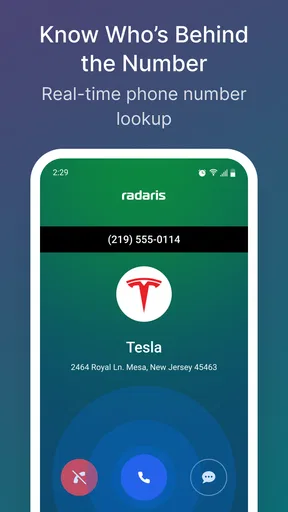
- Identifies many unknown callers using reverse phone lookup data.
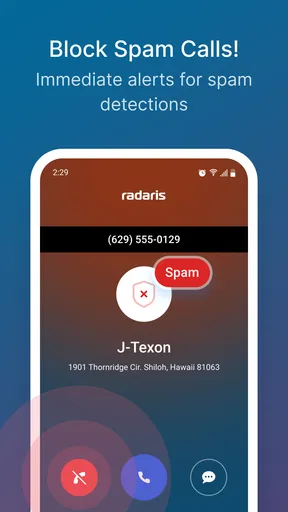
- Can help reveal possible spam or scam calls before you answer.
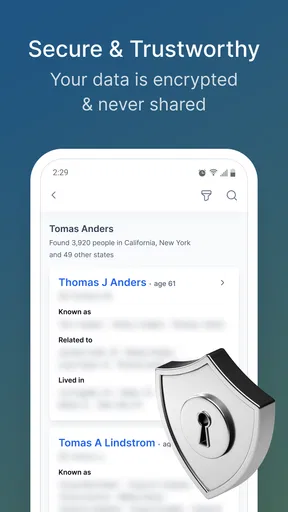
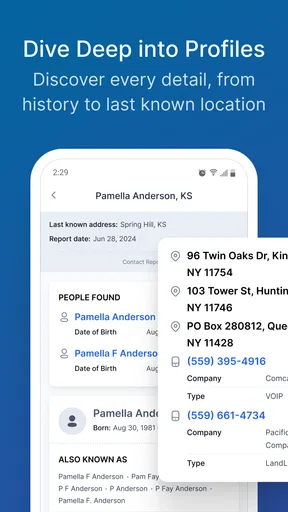
- Search results may include names, locations, and associated public records.
- Useful for checking unfamiliar numbers after missed calls.
- Simple search process makes basic lookups quick to perform.
Limitations of Radaris Caller Id Phone Lookup
- Results may be incomplete, outdated, or inaccurate for some numbers.
- Personal information can appear without the subject’s direct consent.
- Some details or searches may require payment or a subscription.
- Caller identification may be limited for private, spoofed, or VoIP numbers.
- Privacy practices and data removal options should be reviewed carefully.
Similar Picks in This Category
View All
Google Messages
Google LLC4.6

Gmail
Google LLC4.1

Google Meet
Google LLC4.4

Google Chrome
Google LLC4.1

WhatsApp Messenger
WhatsApp LLC4.6

Carrier Services
Google LLC4.2
Frequently Asked Questions
What is Radaris Caller ID Phone Lookup used for?
Radaris Caller ID Phone Lookup is designed to help identify unknown callers and provide additional information associated with a phone number. Depending on the number and the available public data, results may include a possible name, location, carrier, or related records. It is most useful for screening unfamiliar calls, although results should be treated as reference information rather than guaranteed identification.
Is Radaris Caller ID Phone Lookup free to use?
The app may offer free access to certain features, but some searches, detailed reports, or advanced tools can require payment, credits, or a subscription. Before completing a lookup, review the pricing screen and subscription terms carefully. Check whether billing renews automatically, what the trial period includes, and how cancellation works through Google Play or the App Store.
How accurate are the phone lookup results?
Accuracy can vary considerably because Radaris relies on information gathered from public and commercially available sources. A phone number may be linked to an old owner, an incorrect profile, a business, or no usable record at all. Caller ID can also be spoofed, meaning the displayed number may not belong to the actual caller. Do not use a result alone for legal, financial, or safety decisions.
Does Radaris Caller ID Phone Lookup protect my privacy?
The app may request permissions or process search-related information in order to provide caller identification and lookup features. Before using it, read the current privacy policy and check which data is collected, how it is stored, and whether it is shared with service providers. Avoid entering highly sensitive personal information, and use your device’s permission settings to limit access that is not necessary.
Can I remove my personal information from Radaris?
If Radaris displays a profile or phone-related record connected to you, you may be able to request removal or opt out through its official privacy or suppression process. The exact procedure can change, and removal may not happen immediately or eliminate information held by other websites. Verify your identity only through the official Radaris website, and be cautious of third-party services promising guaranteed removal.
